On this page · 13 min
Why "sandbox" means three different things
A sandbox is a place where software can make a mess without the mess reaching anything real. The name comes from a children's sandpit: you can build and knock things down there and nothing outside the box gets hurt. In software the word covers several setups that look nothing alike, because "contain the damage" depends on what the damage is.
Take three developers who are each told to "use a sandbox" on the same day. The first is adding card payments to an app and uses Stripe's sandboxes, where a payment goes through the API but no card network ever processes it. The second gets an invoice attachment from an unknown sender and wants to open it somewhere it can't touch their laptop. The third has a coding agent that runs pip install, edits files and calls shell commands on its own, and wants it to stop short of their SSH keys.
All three need a sandbox, and none of them could use the others'. The payment sandbox works by making actions fake, and the attachment needs a computer that can be thrown away afterwards. The agent needs a real computer where its actions really happen, just not one holding anything that matters. So before picking a tool, ask one question: what could go wrong, and what needs protecting from what?
The three kinds of sandbox environment
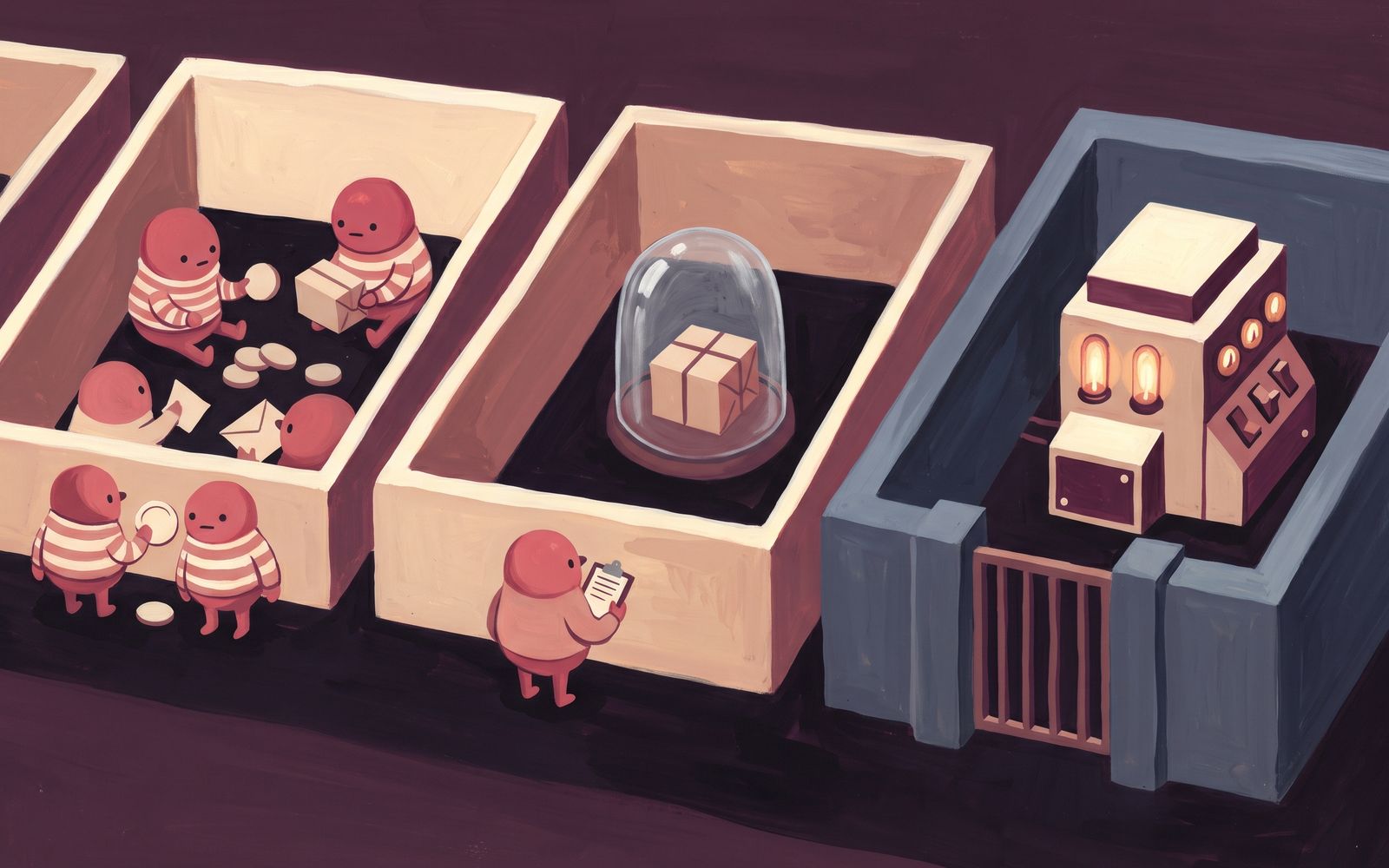
The three kinds differ in what they protect from what: a testing sandbox protects the real system from you, an analysis sandbox protects your machine from a file, and a containment sandbox protects everything around some code from that code. These are our names for them, not industry standard terms, but most sandboxes you'll meet fit one of the three.
Testing sandbox: actions that don't count
A testing sandbox is a copy or a test mode of a system where you can try things and nothing you do has real consequences. Many payment providers, CRMs and cloud platforms offer one: the same API with test keys, test data and no real money. A development sandbox is the same idea for your own code: a place where you can deploy a half-finished branch, break the database and start again. AWS's prescriptive guidance describes it as where developers write code, make mistakes and do proof-of-concept work, with full access.
A testing sandbox assumes you're trusted and only your changes aren't yet, so it isn't built to stop hostile code. One on a shared server will happily run a malicious package you installed by mistake.
Analysis sandbox: open it and watch
An analysis sandbox is a disposable computer for running a suspicious file or program, usually while recording what it does: which files it writes, which processes it starts, which servers it calls. Security teams use these to decide whether an attachment is malware before it reaches anyone's inbox.
The simplest version is built into Windows. Windows Sandbox starts a clean copy of Windows in a lightweight virtual machine, and when you close it, every file and program in it is deleted. It runs a separate kernel under Microsoft's hypervisor, so a program inside is isolated from the host. It's on Pro, Enterprise and Education editions, not Home.
Malware authors know about analysis sandboxes and write around them. Security vendors such as Palo Alto Networks describe malware that checks for signs of a virtual machine and stays quiet, or sleeps until the analysis window has passed. A clean result from a short run doesn't prove a file is safe.
Containment sandbox: real actions, limited reach
A containment sandbox runs code you didn't write and can't fully check, and lets it do real work while limiting how far its effects reach. Your browser does this for every website: Chromium runs each page's code in a renderer process, and its sandbox design treats that code as malicious from the start. AI agents, apps that run user-submitted code, and CI jobs for pull requests from strangers need the same thing.
A containment sandbox has to control three things. The boundary decides what the code can touch on the computer it runs on. The network decides where it can send data, usually through an egress allowlist: a list of the only hosts it may connect to. And the secrets inside decide what is worth stealing, because a key the sandbox never holds can't leak. If your API keys sit in an environment variable and the internet is open, a strong boundary still loses those keys.
Sandbox vs test environment, staging and production
When people compare a sandbox with test, staging and production environments, they mean a testing sandbox: the earliest and loosest of your environments, which deliberately doesn't match production. Teams usually run code through several environments on its way to users, and each one answers a different question. Analysis and containment sandboxes sit outside this ladder; a containment sandbox that runs your users' code is part of production.
| Environment | What it's for | How close to production | Data |
|---|---|---|---|
| Testing sandbox | Trying ideas, learning an API, proof of concept | Deliberately not close | Fake or sample |
| Development or test | Checking that a feature works, often by automated tests | Partly: same code, smaller setup | Test data |
| Staging | The last check before release, under realistic conditions | As close as you can make it | A copy or realistic sample |
| Production | Real users, real data, real money | It is production | Real |
So a testing sandbox is a kind of test environment, but not every test environment is a sandbox. "Testing in a sandbox" means trying something where failure costs nothing: calling a payment API with test cards, trying a new library on a throwaway branch, or giving each pull request its own preview environment to click through. Passing in a sandbox tells you the idea works. It doesn't tell you it will hold up under real traffic, which is staging's job.
How strong is the wall? Containers, gVisor and VMs
For analysis and containment, the question is how hard it is for code to get out, and that depends on how much of the host the code shares. To compare the options you need one term: the kernel, the core of the operating system. Every program asks the kernel for everything it does, from opening a file to opening a network connection, and the kernel is what keeps programs apart. Each of those requests is called a system call.
| Boundary | How it works | Shares the host kernel? | Good for |
|---|---|---|---|
| Process sandbox | OS rules restrict one program (seccomp on Linux, the macOS sandbox) | Yes | Narrowing what one program on your own machine may do, like a browser tab or a coding agent you watch |
| Container | The kernel gives a group of processes its own view of files, processes and network | Yes | Packaging and running code you trust |
| gVisor | A kernel written as an ordinary program answers the code's system calls | Only through a narrow layer | Untrusted code on servers that can't run VMs |
| MicroVM | A small virtual machine with its own kernel, on hardware virtualization (KVM on Linux) | No | Code from an LLM, a user or a stranger, many at once |
| Full VM | A complete virtual computer, often a desktop OS | No | Opening files on Windows, analysis |
A container is a group of processes the kernel shows a private filesystem and network, but they still use the host's kernel. That makes containers fast and light, and it means a bug in the kernel, or in the container runtime that sets the container up, can let code reach the host. That's what happened with CVE-2024-21626: runc, a widely used container runtime, leaked a file handle that let a container process reach the host's filesystem.
gVisor sits in between. It answers the code's system calls itself, as an ordinary program, so the code barely talks to the host kernel. The cost is that it doesn't implement every system call, so some software won't run, and programs that make many system calls run slower.
A virtual machine (VM) is a whole computer simulated in software, with its own kernel. To escape, code has to break the hypervisor, the layer that runs VMs, and that exposes far less to the code than a shared kernel does. A microVM is a VM cut down to start fast and use little memory, so you can give every job its own. You can run code this way on boxd or E2B, where each sandbox is a VM with its own kernel. To run microVMs on your own servers instead, open-source projects such as Firecracker handle the VM part, and you build the networking, images and cleanup around it. Either way, microVMs need KVM, Linux's hardware virtualization, which means a bare-metal server or a cloud VM with nested virtualization (VMs inside a VM) switched on. Many cloud VMs can't do that, which is one reason to reach for gVisor instead.
Is a sandbox the same as a VM, then? No. A VM is one way to build a sandbox, and the strongest common one. But a VM with your cloud keys on its disk and open network access isn't much of a sandbox, and a browser tab is a sandbox without any VM. Can code escape? Yes, through bugs in whatever forms the wall. Fewer shared parts means fewer bugs that matter, so the less you trust the code, the less of the host it should share.
Which sandbox environment do you need?
The question from the start, what could go wrong, picks the kind of sandbox. For containment, the boundary then depends on how far you trust the code and whether anyone is watching it run.
You're trying changes and want actions to be fake: use a testing sandbox. For a third-party API, use the vendor's sandbox or test mode, with test keys that can't touch live data. For your own app, use a development sandbox you can break and rebuild, separate from staging. If that sandbox is a remote Linux machine rather than your laptop, take a restore point before anything risky: on boxd, boxd machine checkpoint save dev before-migration saves the machine's memory and disk, and boxd machine checkpoint restore dev before-migration puts it back. Our guide to cloud dev environments covers the options for a dev sandbox that isn't your laptop.
You want to open a file you don't trust: use an analysis sandbox, never your normal desktop. For the occasional attachment on Windows, Windows Sandbox is enough. Turn networking off first in a .wsb configuration file, because it's on by default, and close the sandbox when you're done so everything is deleted. For real malware work, use a dedicated analysis service that records behaviour and simulates a user, because malware hides from short, quiet runs. boxd isn't built for this: it runs Linux machines and doesn't record what a program does.
Code with real effects has to run: use a containment sandbox, and match the boundary to your trust in the code.
- Code you wrote and trust, on a server: a container is fine. It gives you packaging and resource limits, and you're not defending against the code.
- A coding agent on your laptop, in your own repo, while you watch: a process sandbox, such as the agent's own sandbox mode if it has one, plus keys kept out of its environment and its network limited. It's still running on the machine that holds your SSH keys, so once it runs unattended, move it off your laptop.
- Untrusted code on servers that can't run KVM: gVisor, if your software runs under it.
- Agents running unattended, LLM-written code, or code your users submit: a microVM per job, with the network and keys locked down too.
For that last case, the sandbox has three jobs, and whatever you pick should do all of them. The boundary: each job gets its own kernel, which is what a microVM per job gives you on boxd or E2B. The secrets: nothing worth stealing lives inside. On boxd that's the --isolated flag at creation, which keeps the machine off the default network your other machines share and leaves out the credentials and integrations they have. The network: an egress allowlist, enforced outside the machine, limits which hosts the code can reach, and setting it to none cuts the machine off from the internet, DNS included.
If your agent works on one task for hours, also check how long a sandbox may live. boxd machines have no session cap, so a long task doesn't lose its machine halfway through. Read how boxd sandboxes work for the reasoning behind each of these.
When you don't need a sandbox at all: when the only code running is code you wrote and reviewed, on a machine that holds nothing you'd mind losing, a sandbox adds work and protects nothing. The same goes for an agent that never runs code and only calls a few APIs: scope its API tokens tightly, because the token's permissions are the boundary. Add a sandbox the moment it starts running commands.
The short answer
If the actions should be fake, use a testing sandbox; if you're opening a file you don't trust, use an analysis sandbox and not your normal desktop; if real code you didn't write has to run, use a containment sandbox with its own kernel and its network and keys locked down.
Try a containment sandbox on boxd
To try the last one, install the boxd CLI and sign in:
curl -fsSL https://boxd.sh/downloads/install.sh | sh
boxd auth login
Then follow the one-sandbox-per-job pattern from the boxd sandbox docs, here for a script an LLM wrote. Create an isolated machine:
boxd machine new task-1 --isolatedLimit where it can connect, here to the Python package index only, so the script can install packages but can't send data to any other host:
boxd machine egress task-1 pypi.org,files.pythonhosted.orgCopy the script in. The path after the colon is relative to the machine's home directory:
boxd machine cp ./generated_script.py task-1:generated_script.pyRun the script inside it. You see its output in your terminal, and whatever it does stays in task-1:
boxd machine exec task-1 -- 'python3 generated_script.py'Delete the machine when the job is done:
boxd machine remove task-1 -yIf a task should carry on later, skip the last step and keep the machine. For a fuller walkthrough of giving each agent run its own locked-down machine, see the use case.
Frequently asked
- What is a sandbox environment in software development?
- An isolated place to run software where mistakes or harmful code can't reach the systems you care about. In development it usually means a place to try changes where nothing counts, such as a payment API's test mode or a server you can break and rebuild. In security it means a place to run code you don't trust with its reach limited.
- Is a sandbox the same as a test environment?
- A sandbox is the earliest and loosest kind of test environment. It is for trying ideas with fake or sample data and deliberately doesn't match production. Staging is the opposite: it matches production as closely as possible, for the last check before release.
- Is a sandbox the same as a virtual machine?
- No. A virtual machine is one way to build a sandbox, and the strongest common one, because the code gets its own kernel. But a VM with your keys on its disk and open network access isn't much of a sandbox, and a browser tab is a sandbox without any VM.
- Can malware escape a sandbox?
- Yes, through bugs in whatever forms the wall. Containers share the host's kernel, so a kernel or runtime bug can let code out, as CVE-2024-21626 in runc did. A VM with its own kernel leaves far less to attack. Malware also tries to detect analysis sandboxes and stay quiet, so a clean short run doesn't prove a file is safe.
- What kind of sandbox do I need for an AI agent?
- For a coding agent you watch on your own laptop, use a process sandbox such as the agent's own sandbox mode, keep keys out of its environment and limit its network. For an agent that runs unattended, LLM-written code or code your users submit, give each job its own microVM, with an egress allowlist and no keys inside it.